
Incorrect User Permissions
When access settings do not match employee responsibilities, routine tasks may require another user’s assistance, while sensitive information may be accessible. beyond the intended roles.
Align user permissions, job fields, approvals, shipment milestones, notifications, and financial settings with the way your teams work. POBO Technologies helps configure Logi-Sys ERP to reduce routine workarounds and support consistent operations.

Effective configuration requires more than changing system settings. Permissions, approval responsibilities, milestone stages, and billing controls must reflect your logistics processes so teams can complete their work without unnecessary delays or manual corrections.
When access settings do not match employee responsibilities, routine tasks may require another user’s assistance, while sensitive information may be accessible. beyond the intended roles.
When job records lack fields for essential business information, teams may rely on spreadsheets and separate notes, making shipment details harder to maintain and share.
Approval settings that do not reflect current responsibilities can send transactions to the wrong reviewers, creating repeated follow-ups and delaying operational or financial decisions.
Milestones that do not match relevant shipment stages can make progress difficult to interpret and create inconsistencies between internal records and customer updates.
Notifications that do not reflect customer requirements can result in missed updates, unnecessary messages, and repeated shipment-status inquiries.
Charge codes, taxes, currencies, and bill types that do not match your requirements can lead to invoice corrections, delayed billing, and additional reconciliation work.
Share your configuration requirements with POBO to identify the settings, responsibilities, and controls your daily operations need.
Schedule a CallOur approach covers requirements analysis, setup assessment, configuration planning, testing, deployment, and ongoing support. We define which settings need adjustment, how they affect connected processes, and what your teams should validate before live use.
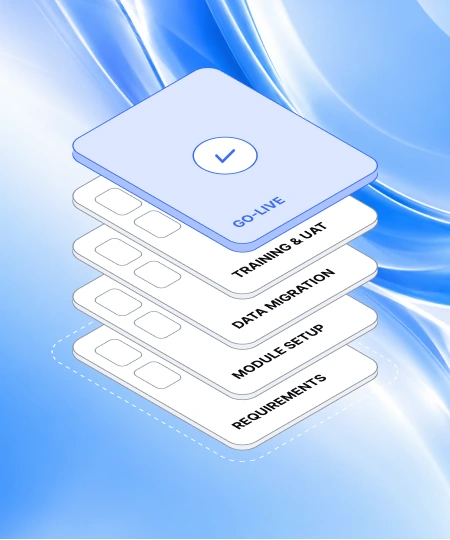
We review your logistics processes, team responsibilities, customer expectations, and recurring manual tasks to identify where configuration changes can support your operations.
We assess current permissions, job fields, approval controls, milestones, notifications, and financial settings to understand gaps and dependencies within your environment.
We define the required settings, responsible users, expected behavior, and testing criteria, aligning the proposed changes with your business requirements and available system options.
We apply the agreed settings and check their relationship with existing operational and financial processes, helping maintain consistency across the areas affected by each change.
We test representative jobs and transactions with your teams to validate permissions, approval routing, milestone updates, notifications, scheduled outputs, and relevant billing behavior.
We deploy approved changes and guide users on the updated setup. Ongoing support helps address configuration issues and assess adjustments as your requirements evolve.
We align access permissions, job fields, approvals, milestones, notifications, and report schedules with your team's responsibilities and daily logistics operational requirements.
User permissions are aligned with team responsibilities, giving employees access to the records they need while keeping sensitive information restricted.
We add supported custom fields to job cards to capture business-specific details, keeping essential shipment information within Logi-Sys ERP.
Approval workflows and escalation emails are set around authorized reviewers, helping teams manage transaction approvals and follow up on pending decisions.
Key shipment stages are defined as customer-specific tracking milestones, giving teams a consistent way to record progress and communicate status.
We configure milestone notifications around customer requirements, helping shipment updates reach customers at the stages that matter to them.
Reports, alerts, and notifications are scheduled at agreed intervals, reducing the need for teams to send recurring updates manually.
With platform knowledge and logistics experience, we configure settings around how your teams manage shipment records, approvals, and customer updates.
As a trusted Softlink Global service partner, we provide Logi-Sys ERP configuration, customization, integration, user training, and ongoing support.
With an understanding of freight, customs, warehousing, transport, billing, and finance, we assess how configuration decisions affect daily logistics work.
Based on your operational responsibilities and customer requirements, we configure permissions, job fields, approvals, milestones, and notifications.
Before configuration begins, we explain which settings need adjustment, how they affect connected processes, and what your teams should expect.
Using relevant shipment records and transactions, we validate permissions, field behavior, approval routing, and customer notifications with your users before deployment.
After deployment, we guide users through the revised settings, help resolve configuration issues, and assess adjustments as your business requirements evolve.
From user permissions and job fields to approvals, milestones, notifications, and report schedules, we help align your system settings with daily operational requirements. Share where your current setup creates extra work so we can identify suitable configuration changes.
Logi-Sys ERP configuration means adjusting supported system settings to match your logistics processes. It includes user permissions, job fields, approval workflows, shipment milestones, customer notifications, and report schedules to support consistent daily operations.
POBO reviews your shipment processes, team responsibilities, and current system settings. We configure supported permissions, job fields, approvals, milestones, notifications, and report schedules around the agreed requirements, then validate changes with your teams.
The timeline depends on the settings involved, their dependencies, and the testing required. After assessing your setup, we provide a schedule covering configuration, user validation, and deployment, accounting for your operational priorities.
Yes. After deployment, we guide users and help resolve issues with delivered settings under the agreed support scope. Further adjustments are assessed as shipment processes, team responsibilities, and customer requirements change.
Yes. By configuring customer-specific tracking milestones, notifications, and report schedules, we help reduce manual status emails and recurring updates. The setup reflects relevant shipment stages, customer communication needs, and the options available in your environment.