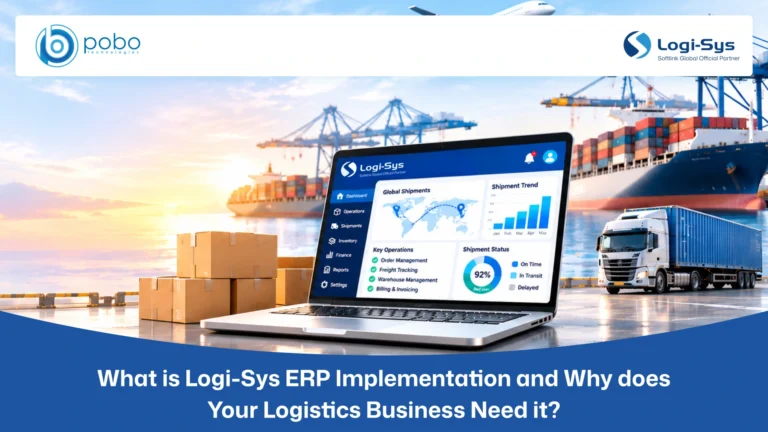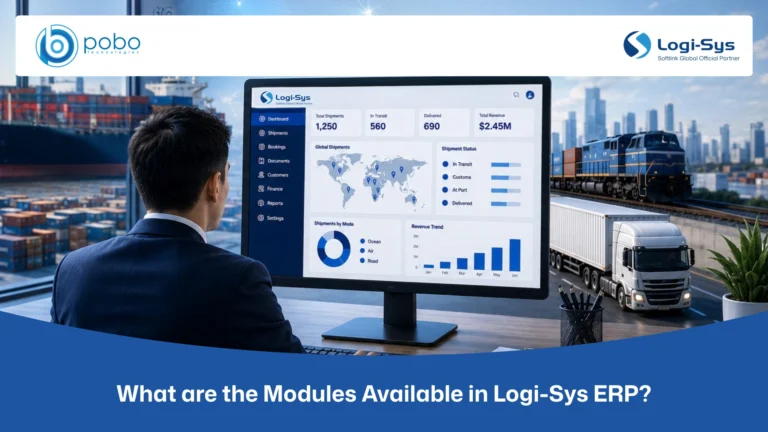
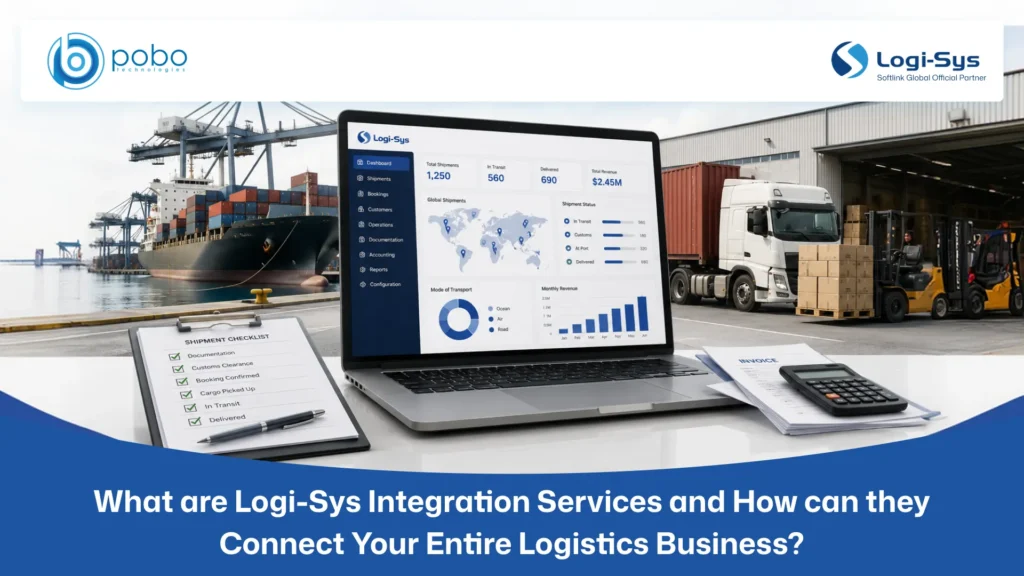
A shipment may be managed in Logi-Sys, while customer opportunities sit in a CRM, customs data moves through a government platform, carrier updates arrive from external portals, and enterprise accounts are maintained in another financial system.
Each platform may work well independently. The problem begins when employees must move the same information between them manually.
Operations teams re-enter booking details. Finance exports invoices and recreates accounting records. Customer service checks several portals for shipment updates. Customs teams repeat information already captured during forwarding. Management then receives reports built from different versions of the same transaction.
Logi-Sys integration services connect these systems so approved information can move accurately and securely across the business. For freight forwarders, customs brokers, NVOCCs, transportation companies, warehouses, and other logistics providers, this can reduce manual handoffs and create a more connected digital environment.
What are Logi-Sys Integration Services?
Logi-Sys integration services connect Logi-Sys ERP with external business applications, logistics partners, carrier networks, customs platforms, financial systems, customer portals, and internal software.
Depending on the requirement, an integration may:
- Send information from Logi-Sys to another platform after an approved event occurs.
- Receive operational, financial, or shipment information from an external system.
- Support two-way data exchange so authorized records remain synchronized.
- Convert information into a format the receiving application can process.
- Validate transferred data and identify failed, incomplete, or duplicate transactions.
Logi-Sys provides TradeCHAIN as a middle layer for connecting the ERP with external platforms. It also supports information exchange with stakeholders involved in shipment transactions, including agents, shippers, consignees, carriers, ports, and logistics service providers.
The objective is not simply to connect software. It is to create a reliable flow of information across sales, operations, customs, transportation, warehousing, customer service, billing, and finance.
Why do Logi-Sys Users Need Logi-Sys Integration Services?
One logistics transaction can generate customer records, quotations, bookings, shipment documents, transport instructions, customs declarations, warehouse activities, supplier invoices, customer invoices, and tracking events.
Without integration, each handoff becomes a separate manual task. This can lead to:
- Duplicate data entry across operational and external applications.
- Delayed shipment, customs, billing, or payment-status updates.
- Inconsistent customer, supplier, and shipment information.
- Missing milestones and incomplete customer visibility.
- Heavy reliance on spreadsheets, emails, and file transfers.
- Slower financial reconciliation and management reporting.
- Greater risk of typing errors and duplicate records.
Integration helps information captured in one approved system reach the people and platforms that need it. However, each system must still have a clearly defined role. Logi-Sys may own shipment and job information, while another platform may own customer opportunities, bank reconciliation, or a country-specific customs process.
Which Systems can Connect with Logi-Sys?
The required connections depend on the company’s services, locations, customers, and existing technology environment.
Carrier and Transport Platforms
Freight forwarders often use several airline, shipping-line, and transport portals to check rates, make bookings, submit instructions, and monitor shipments.
LogiCONNECT provides carrier connectivity for activities including rates and schedules, quotations, electronic bookings, live tracking, e-AWB transmission, shipping instructions, and verified gross mass filing across supported carriers.
A carrier or transport integration can help:
- Transfer approved booking details without recreating the shipment manually.
- Receive carrier confirmations and relevant tracking milestones.
- Exchange transport instructions and delivery information.
- Connect proof-of-delivery updates with the correct shipment job.
- Reduce repeated switching between Logi-Sys and external portals.
Availability can vary by carrier, mode, location, trade lane, and commercial agreement. Businesses should confirm that the required connections are supported before implementation.
Customs and Compliance Systems
Customs integration connects Logi-Sys with government portals, customs applications, or authorized third-party compliance platforms.
Logi-Sys provides direct capabilities for selected customs processes, including ICEGATE connectivity in India and AMS, AES, and ISF workflows for the United States.
For other countries, a trusted Logi-Sys service partner can assess and integrate compatible customs applications through APIs, EDI, middleware, or another supported method, subject to local regulations and technical compatibility.
A customs integration may exchange:
- Shipment, shipper, consignee, and transport information.
- Commercial invoice and packing list details.
- Commodity, quantity, value, and classification data.
- Declaration references and filing acknowledgments.
- Submission, acceptance, rejection, and release statuses.
Customs requirements differ by country. Every proposed integration should be evaluated against local regulations, mandatory formats, technical compatibility, security requirements, and the capabilities of the external customs platform.
Financial and Accounting Systems
Some companies manage operational and financial accounting within Logi-Sys. Others also need to send approved information to an enterprise ERP or external accounting platform.
Financial integration may transfer customer invoices, credit notes, supplier costs, tax details, payments, receipts, currencies, cost centers, or summarized accounting entries.
Logi-Sys Financial Accounting is designed to connect financial transactions with the shipment, job, branch, customer, charge, currency, and operational event that generated them. It also supports integration with external financial environments through its financial accounting capabilities.
The integration design must establish which platform owns each record. Allowing two systems to change the same financial information independently can create reconciliation problems.
CRM and Customer Applications
CRM integration can connect commercial activities with freight execution. Customer details, contacts, accepted quotations, shipment references, and account information may move between the CRM and Logi-Sys based on approved business rules.
This can help sales teams understand customer activity without depending entirely on operations for updates. It can also help operations receive cleaner customer and booking information when an opportunity becomes a confirmed job.
Customer portal integrations may provide authorized users with shipment milestones, documents, invoices, inventory information, or delivery updates. The usefulness of the portal still depends on timely and accurate source data.
E-Invoicing and Banking Platforms
Electronic invoicing requirements vary across countries. An integration may need to convert invoice information into a required structure, send it through an authorized government or service-provider platform, and return validation or acknowledgment details.
Banking integrations may support statement exchange, payment updates, collections, or reconciliation processes. These connections require suitable authorization, encryption, testing, and financial controls.
Warehouse and Order-Management Systems
Logistics companies may need to connect Logi-Sys with external warehouse, inventory, purchase-order, or customer order-management platforms.
These integrations can exchange order information, advance shipment notices, warehouse receipts, inventory updates, picking instructions, dispatch details, and delivery confirmations. Clear product, unit, location, and reference mappings are essential because inconsistent master data can quickly create inventory differences.
How do Logi-Sys Integrations Work?
The right integration method depends on the connected system, transaction volume, security requirements, data format, and how quickly information needs to move.
Some businesses require immediate, event-based data exchange, while others may use scheduled transfers at predefined intervals. Legacy systems may depend on structured files, whereas modern cloud platforms may support direct APIs.
A professional integration begins by defining which system owns each type of data. For example, Logi-Sys may be the source of truth for shipments and job costing, while a CRM manages sales opportunities and a financial platform handles enterprise accounting or bank reconciliation.
Once data ownership is clear, the fields, business rules, validations, transfer frequency, and error-handling processes can be mapped correctly.
APIs
APIs allow Logi-Sys and external applications to exchange information through defined requests and responses. They are commonly used when real-time or near-real-time data exchange is required.
Logi-Sys supports API-based connectivity with external technology environments. The exact data available depends on the approved interface and connected application.
EDI
Electronic Data Interchange supports standardized business communication with carriers, customers, suppliers, customs systems, and other trading partners.
EDI may be used for bookings, shipping instructions, manifests, invoices, shipment events, and acknowledgments. Successful EDI requires agreed message formats, partner mappings, validation rules, and exception handling.
Middleware
Middleware sits between Logi-Sys and another application. It can transform data, apply business rules, route messages, validate fields, and record failures.
This approach is useful when the connected systems use different formats or when several platforms must exchange information through one managed layer.
Structured Files
When direct APIs are unavailable, structured XML, CSV, or other file exchanges may support scheduled transfers. Files must still be validated, transmitted securely, monitored, and protected against duplicate processing.
Scheduled or Event-Based Exchange
Scheduled integrations transfer information at defined intervals and may be suitable for end-of-day or high-volume processes that do not require immediate updates.
Event-based integration sends information when a specific activity occurs, such as creating a booking, approving an invoice, receiving a payment, or updating a shipment milestone.
What Data can Move through Logi-Sys Integrations?
Depending on the systems and approved requirements, integrations may exchange:
- Customer, supplier, agent, and contact records.
- Quotations, orders, bookings, shipments, and consolidations.
- Routing, carrier, container, and transport information.
- Customs declarations, references, and response messages.
- Warehouse receipts, inventory movements, and dispatch instructions.
- Shipment documents, references, and tracking milestones.
- Customer invoices, supplier costs, credit notes, and payments.
- Taxes, currencies, charge codes, and financial mappings.
Every data object should have an owner, destination, validation rule, update method, and exception process. Sending every available field without a clear business purpose can make an integration harder to maintain.
Why do Integration Projects Fail?
Integration problems are rarely caused by connectivity alone. They usually result from unclear ownership, poor data quality, weak testing, or missing exception procedures.
Common risks include:
- Connecting systems before cleaning customer, supplier, and product records.
- Assuming codes and formats are identical across applications.
- Ignoring multi-company, currency, tax, and branch requirements.
- Failing to prevent duplicate or repeated transactions.
- Building one-way transfers when return updates are necessary.
- Going live without monitoring, retry, or escalation controls.
- Treating integration as a one-time project with no ongoing owner.
A reliable integration must support the actual operational process, including what happens when information is rejected or cannot be transferred.
The Logi-Sys Integration Process POBO Follows
Discovery and Business Analysis
We review your Logi-Sys environment, connected platforms, business workflows, transaction volumes, operational challenges, and required outcomes. We also identify the source of truth for each data type.
Data and Process Mapping
Fields, messages, codes, statuses, and business rules are mapped between Logi-Sys and the external system. This stage also defines data transformations, validation requirements, ownership, and error scenarios.
Solution Design and Development
We select the appropriate combination of TradeCHAIN, APIs, EDI, middleware, structured files, scheduled transfers, or event-based exchanges. The required integration components and monitoring controls are then configured or developed according to the approved scope.
Testing and User Acceptance
Realistic transactions are tested across standard workflows, exceptions, corrections, duplicate scenarios, currencies, taxes, and failure conditions. Operations, finance, and other stakeholders confirm the results before deployment.
Go-Live and Initial Monitoring
The integration is released through a controlled deployment. Data flows, errors, and business outcomes are monitored closely during the initial operating period.
Monitoring and Ongoing Support
POBO Technologies supports integration monitoring, exception management, troubleshooting, documentation, user guidance, and future enhancements as business or external system requirements change.
How does POBO Deliver Logi-Sys Integration Services?
POBO Technologies provides end-to-end Logi-Sys integration services for logistics businesses that need reliable connections across operations, finance, sales, customs, compliance, carriers, transportation, warehousing, and customer systems.
Our services cover:
- Accounting and financial system integration
- CRM and customer application integration
- Customs and compliance integration
- Global e-invoicing integration
- Banking system integration
- EDI implementation
- Carrier and transportation connectivity
- Vessel and container tracking integration
- API development and connectivity
- TradeCHAIN-based integration support
- Custom middleware development
- Structured file and scheduled data exchange
- Integration monitoring and ongoing support
As a trusted Logi-Sys service partner, POBO Technologies combines product knowledge with practical logistics experience. We do not connect applications in isolation. We design data flows around how bookings, shipments, customs activities, warehouse movements, invoices, payments, and customer updates move through your business.
Conclusion
Logi-Sys integration services help logistics companies replace disconnected applications and repetitive data entry with a controlled flow of operational and financial information.
Whether you need to connect Logi-Sys with accounting, CRM, customs, e-invoicing, banking, carrier, transportation, warehouse, EDI, or tracking systems, every integration must be securely designed, correctly mapped, thoroughly tested, and continuously monitored.
POBO Technologies supports the complete integration lifecycle, from discovery and technical assessment through data mapping, development, testing, deployment, monitoring, and ongoing improvement.
Looking for Logi-Sys integration services built around your logistics operations? Book a consultation with POBO Technologies and connect your business systems with confidence.