Imagine managing hundreds of shipments, coordinating multiple departments, responding to customer requests, handling customs documentation, and keeping financial records up to date. Now imagine managing all these activities while switching between spreadsheets, emails, and different software systems.
Sounds familiar?
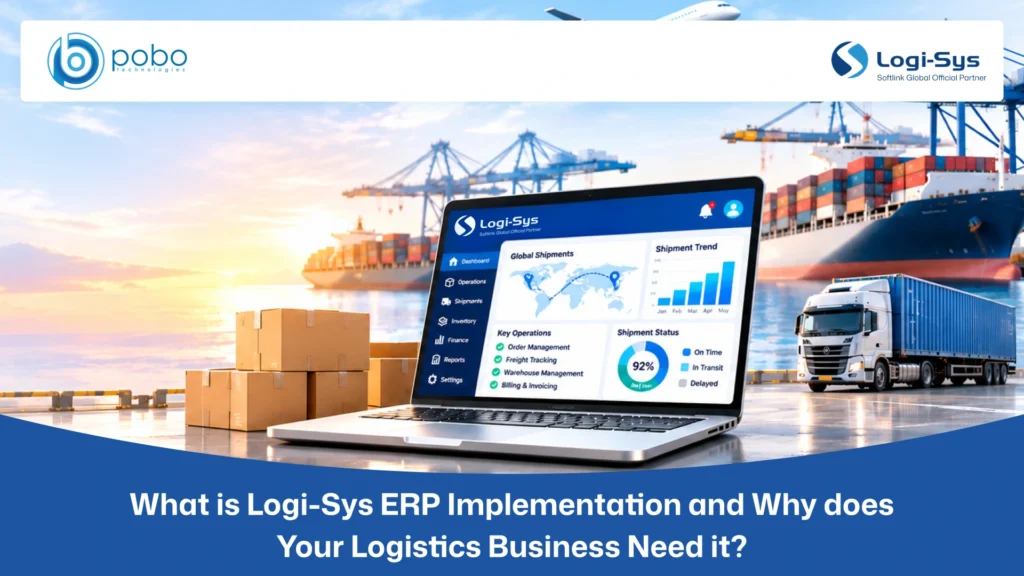
To manage these complex operations more efficiently, many logistics businesses use Logi-Sys ERP. Designed for freight forwarders, customs brokers, consolidators, and logistics service providers, Logi-Sys brings key business activities together through a connected platform, helping teams manage operations and access consistent business information.
However, adopting an ERP platform is only the first step. To get the most out of Logi-Sys, businesses need to ensure that the system is properly implemented, configured, and aligned with their operational requirements. This is where the right implementation approach and expertise make a difference.
What is Logi-Sys ERP Implementation?
Logi-Sys ERP implementation is the process of deploying, configuring, and adapting the Logi-Sys platform to meet a logistics company’s specific business and operational requirements.
It involves understanding existing business processes, identifying system requirements, configuring relevant modules, setting up workflows, migrating data, and integrating the platform with other business applications where required.
For example, a freight forwarding company may require specific configurations for shipment management, customs documentation, billing, customer management, and financial operations. Implementation ensures that these requirements are properly addressed within the ERP system.
A typical Logi-Sys ERP implementation includes:
- Requirement Analysis: Understanding business operations, existing workflows, and implementation requirements.
- System Configuration: Configuring relevant modules, settings, and workflows according to business needs.
- Data Migration: Transferring existing business data into the new system while maintaining accuracy and consistency.
- Customization: Adapting system functionalities to accommodate specific business requirements.
- System Integration: Connecting Logi-Sys with relevant third-party applications and existing business systems.
- Testing and Validation: Checking system configurations, workflows, and integrations before deployment.
- User Training and Go-Live: Preparing employees to use the system and supporting the transition to the new ERP environment.
The objective of implementation is to ensure that Logi-Sys is properly set up, tested, and ready to support your business logistics and supply chain operations.
Why do Logistics Businesses Need Logi-Sys ERP Implementation?
Logistics businesses handle multiple interconnected activities, from shipment booking and documentation to customs clearance, transportation, customer coordination, and financial management. These operations involve different departments, employees, customers, vendors, and external partners.
When businesses manage these activities through disconnected applications, spreadsheets, and manual processes, information becomes difficult to track and coordinate. Employees may repeatedly enter shipment details, operations teams may struggle to access updated information, and finance teams may spend additional time reconciling shipment charges and expenses.
A properly implemented Logi-Sys ERP system helps address these operational challenges by configuring business workflows, connecting relevant functions, and integrating existing applications according to the company’s requirements.
Connect Disconnected Logistics Operations
Freight forwarding companies often manage air freight, ocean freight, customs clearance, transportation, and warehousing through different operational processes. When departments maintain separate records, sharing shipment information becomes difficult. For example, the operations team may update shipment details while the documentation or finance team continues working with outdated information.
Proper Logi-Sys ERP implementation connects relevant business functions through configured workflows, helping departments access consistent operational information and coordinate activities without depending on repeated manual updates.
Reduce Manual Work and Data Entry
Logistics employees handle considerable documentation and data entry, including shipment details, customer information, invoices, vendor charges, and operational records. Entering the same information into multiple systems increases workloads and creates opportunities for data entry errors.
Proper system configuration helps establish standardized workflows and reduces unnecessary manual activities. By organizing how information is entered, maintained, and accessed, Logi-Sys helps employees manage routine operational tasks more efficiently.
Improve Shipment and Workflow Management
A single shipment may involve multiple activities, including booking confirmation, cargo movement, documentation, customs clearance, delivery coordination, and billing. Delays in one activity can affect subsequent processes, especially when responsibilities and pending tasks are not clearly managed.
Proper Logi-Sys implementation configures workflows according to the company’s operational procedures, helping employees manage shipment activities, follow assigned responsibilities, and coordinate different stages of the shipment process more systematically.
Maintain Accurate and Consistent Business Data
When logistics businesses move from spreadsheets or legacy applications to an ERP platform, transferring existing information can become a challenge. Customer records, shipment details, vendor information, and financial data must be assessed and migrated carefully.
Without proper planning, businesses may encounter incomplete records, duplicate entries, or inconsistent information after deployment.
A structured implementation process includes data assessment, migration planning, and validation to help maintain accurate business records and prepare the system for daily operations.
Integrate Existing Business Applications
Many logistics companies use additional applications for accounting, customer relationship management, shipment tracking, warehouse operations, and other business functions. When these applications operate independently, employees may need to transfer information manually between systems.
Proper Logi-Sys ERP implementation identifies the required integration points and establishes connections with relevant applications through available integration methods and APIs. This helps maintain information flow between systems and reduces dependency on repetitive data transfers.
Ensure Smooth System Adoption and Training
Introducing a new ERP system changes how employees manage their daily responsibilities. Operations teams, documentation staff, finance departments, and management may all need to follow different workflows within the platform.
Without proper training, employees may struggle to understand system functionalities, follow configured processes, or complete their tasks correctly.
A well-planned implementation includes system testing, role-based user training, and go-live support. This prepares employees for the transition, helps identify configuration issues before deployment, and supports consistent system adoption across departments.
Why Choose POBO Technologies as Your Logi-Sys ERP Implementation Partner?
Successful Logi-Sys ERP implementation requires a clear understanding of business processes, system configurations, and logistics workflows.
POBO Technologies is an official Logi-Sys service partner, helping logistics businesses implement, customize, and optimize systems based on their operational requirements.
Our services include:
- Logi-Sys ERP Implementation: Support throughout the implementation process, from understanding business requirements to system deployment.
- Configuration: Configure system settings, modules, and workflows to match your business processes.
- Customization: Adapt system functionalities to address specific operational requirements.
- Integration: Connect Logi-Sys with relevant third-party applications and business systems.
- Implementation and User Training: Help employees understand the system and use its functionalities effectively.
- Consulting and Helpdesk Support: Provide assistance with technical and operational challenges.
- API Services: Support application connectivity and data exchange through API-based integrations.
Whether you are planning a new Logi-Sys ERP implementation, improving an existing system, or looking for customization and integration support, POBO Technologies can help you identify the right approach for your business.
Final Thoughts
Implementing Logi-Sys ERP is an important step toward building a connected and organized logistics operation. However, getting the expected business value depends on how effectively the system is implemented and aligned with your operational requirements.
From analyzing existing workflows and configuring the right modules to integrating applications and preparing employees, every stage contributes to a successful implementation.
With the right implementation approach and technical expertise, logistics businesses can establish more structured workflows, improve coordination, and manage their operations more effectively.
Planning to implement Logi-Sys ERP? Schedule a free consultation with POBO Technologies to discuss your business requirements and find the right implementation approach.