Managing freight operations involves more than moving shipments from one location to another. Your teams must coordinate bookings, documentation, customs activities, transportation, billing, and financial transactions while keeping every department informed.
When these activities are not properly connected, employees may spend more time handling manual tasks, following up on pending activities, and correcting information.
This is where Logi-Sys ERP configuration becomes important. By aligning the platform’s modules, workflows, settings, and user permissions with actual business requirements, logistics companies can establish more organized processes and improve how daily operations are managed.
Let’s look at what Logi-Sys ERP configuration involves and how it can improve different areas of logistics operations.
What is Logi-Sys ERP Configuration?
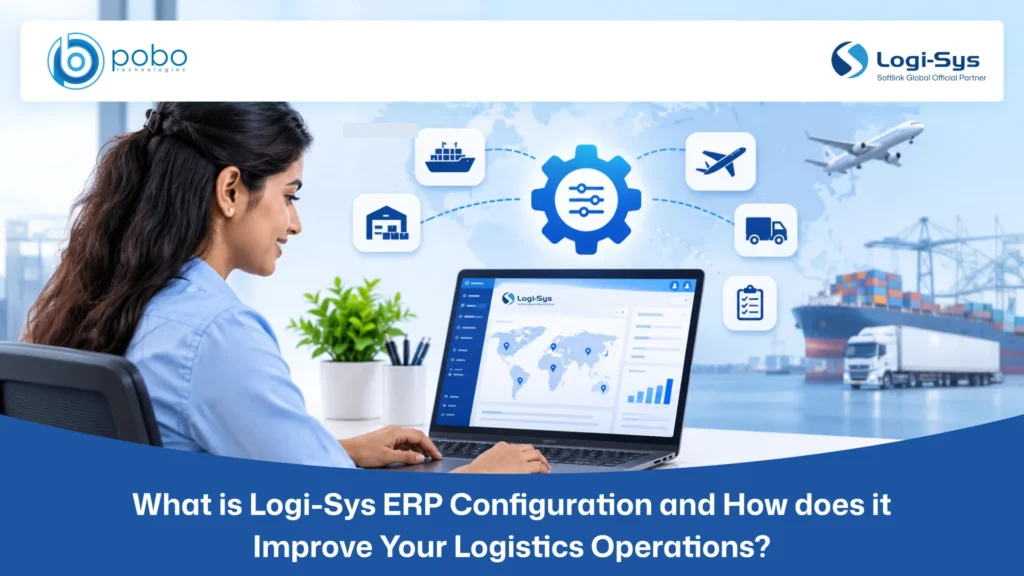
Logi-Sys ERP configuration is the process of adjusting the platform’s available modules, settings, workflows, user permissions, and operational parameters to match a logistics company’s requirements.
Every logistics company operates differently. An international freight forwarder managing air and ocean shipments may have different requirements from a customs broker or warehouse operator. Configuration helps align the system with these differences without unnecessarily changing its underlying functionality.
Depending on operational requirements, Logi-Sys ERP configuration may involve:
- Module configuration: Selecting and setting up relevant ERP modules based on the services offered.
- Workflow configuration: Defining shipment processes, operational activities, and business rules.
- Milestone configuration: Setting up shipment events and tracking milestones to monitor operational progress.
- User-access configuration: Assigning roles and permissions according to departmental responsibilities.
- Approval configuration: Establishing authorization procedures for financial transactions and other important activities.
- Notification and schedule settings: Configuring relevant notifications and system schedules to support routine operations.
- Branch and financial settings: Aligning operational and financial parameters with the company’s organizational structure.
The objective is to make Logi-Sys work according to existing business processes, giving employees a system that supports their daily responsibilities.
How does Logi-Sys ERP Configuration Improve Logistics Operations?
Implementing Logi-Sys ERP with the right configuration helps align the system with actual logistics operations. From shipment handling and documentation to financial management, proper configuration ensures that workflows, modules, and system settings support daily business activities, reduce process gaps, and improve coordination between departments.
Align ERP Modules with Your Logistics Requirements
Different logistics services require different operational capabilities. A freight forwarder, customs broker, and warehouse operator may not need the same combination of ERP functions.
Logi-Sys offers capabilities across freight forwarding, customs, financial accounting, warehouse management, CFS and AFS operations, and other logistics functions.
Configuration helps identify and set up the modules relevant to your services. For instance, a freight forwarding company may prioritize air freight, ocean freight, documentation, and financial accounting. A warehouse operator may focus more on inventory management, cargo handling, and dispatch.
Standardizes Shipment Workflows and Milestone Management
Shipment management involves several stages, from booking confirmation to final delivery. Each stage requires timely updates and coordination between the teams responsible for completing the work.
Without defined workflows, employees may follow different procedures, overlook important activities, or update shipment statuses inconsistently.
Logi-Sys ERP configuration helps establish shipment events, tracking milestones, and workflow settings based on operational procedures. This gives employees a consistent process to follow when handling shipments and updating their progress.
A well-configured milestone setup helps your teams:
- Monitor shipment progress across operational stages.
- Identify pending activities and potential delays.
- Maintain consistent shipment-status updates.
- Coordinate activities between operations and documentation teams.
- Make relevant shipment information available to authorized employees.
This improves shipment visibility and helps teams maintain better control over ongoing operations.
Improves Coordination Between Departments
Freight forwarding depends on collaboration between sales, operations, documentation, customer service, billing, and finance teams. Each department relies on information from other functions to complete its responsibilities.
When these processes are disconnected, employees may need to request updates through emails, enter the same information repeatedly, or maintain separate records.
Configuring Logi-Sys around connected workflows helps information support different stages of the shipment lifecycle. Customer and quotation details can support shipment creation, operational updates can inform customer communication, and completed services can support invoicing and financial activities.
This reduces communication gaps and repeated data entry while helping departments work with more consistent information.
Establishes Better Approval and Authorization Processes
Logistics companies regularly handle financial approvals, shipment documents, customer credit limits, and other sensitive activities. Without clearly defined authorization procedures, transactions may face delays or proceed without the required approval.
Logi-Sys ERP configuration allows businesses to establish user permissions and approval workflows according to internal policies. Access can be assigned based on employee responsibilities, while approval procedures help ensure that important activities follow the required authorization process.
A structured authorization setup helps your business:
- Define access rights according to employee roles.
- Establish approval procedures for relevant activities.
- Strengthen internal accountability.
- Restrict access to sensitive operational and financial information.
- Improve management oversight.
This creates clearer responsibilities across departments and supports better control over business activities.
Reduces Repetitive Manual Work
Repeated data entry takes time and increases the possibility of errors, especially when employees manage large shipment volumes.
A properly configured ERP environment helps connect operational and financial processes so that relevant information can support multiple activities. Notifications, schedules, and workflow rules can also be configured to support routine tasks and follow-ups.
This reduces the need for employees to maintain separate spreadsheets, repeatedly request information, or manually track every pending activity.
With fewer repetitive administrative tasks, your teams can spend more time coordinating shipments, resolving operational issues, and responding to customer requirements.
Supports Multi-Branch and Financial Operations
Managing multiple branches requires consistency across shipment handling, customer records, expenses, and financial transactions. Without aligned processes, maintaining operational and financial visibility across locations can become challenging.
Logi-Sys supports multi-branch and multi-currency business operations. Configuration helps align relevant operational and financial settings with the company’s organizational structure.
This may include:
- Setting up branch-level operational requirements.
- Aligning financial settings with business processes.
- Establishing appropriate user access across branches.
- Defining consistent financial transaction procedures.
- Supporting visibility into branch-level activities.
With the right setup, each branch can follow consistent procedures while management maintains a broader view of operations and financial activities.
Improves System Usability and Employee Productivity
An ERP system should help employees complete their responsibilities without unnecessary complexity.
When system settings, access permissions, and workflows do not match employee roles, users may struggle to find the information or functions they need. This can affect productivity and reduce system adoption.
Configuring Logi-Sys around departmental responsibilities gives employees access to the functions relevant to their work. Clear workflows also help them understand which activities they need to complete and what steps follow.
Combined with proper user training, this can make daily system usage easier, reduce avoidable errors, and help employees complete routine tasks more effectively.
When should You Review Your Logi-Sys ERP Configuration?
Logi-Sys configuration should not be treated as a one-time activity. As your logistics business grows, its services, shipment volumes, teams, and operational requirements may change.
A configuration review may be necessary when:
- New services are introduced: Additional freight or logistics services require changes to existing modules and workflows.
- New branches are established: Additional locations need consistent operational and financial processes.
- Shipment volumes increase: Existing workflows become difficult to manage as shipment activity grows.
- Operational bottlenecks occur: Employees experience recurring delays, manual tasks, or process gaps.
- Departmental responsibilities change: Organizational changes require updates to user roles and permissions.
- Access requirements evolve: Existing permissions no longer reflect employee responsibilities.
- Financial processes change: New requirements affect financial settings and approval procedures.
- New integrations are introduced: External applications or automation tools need to work with Logi-Sys.
Regular reviews help identify configuration gaps and ensure the system continues to support changing operational requirements.
Why Choose POBO Technologies for Logi-Sys ERP Configuration?
Configuring Logi-Sys ERP requires more than technical knowledge. It also requires an understanding of freight forwarding, documentation, financial workflows, and the day-to-day challenges logistics teams face.
As a trusted Logi-Sys service partner, we help logistics businesses configure, customize, and optimize Logi-Sys ERP to meet their operational requirements.
Our support includes:
- Business requirement assessment: Understanding existing workflows, operational challenges, and system requirements.
- System configuration: Aligning modules, settings, events, milestones, schedules, and permissions with business processes.
- Workflow optimization: Reviewing procedures and identifying opportunities to reduce repetitive activities.
- Customization and integration: Addressing specific requirements and connecting Logi-Sys with relevant external systems.
- Training and support: Helping employees use the configured system effectively as business requirements evolve.
We assess how your teams work and align Logi-Sys with your operational processes and priorities.
Conclusion
Logi-Sys ERP helps make logistics operations more organized and connected. Aligning modules, workflows, permissions, and settings with business requirements improves shipment visibility, departmental coordination, and operational control while reducing repetitive work.
The right configuration helps businesses improve workflows, support multiple branches, and manage freight operations more effectively.
Ready to improve your logistics operations with the right Logi-Sys ERP configuration? Contact POBO Technologies to discuss configuration support tailored to your business requirements.